


Adding a SAN LUN to an Active/Standby Linux Pair
During a planned maintenance window, the storage team presents a new 800 GiB Fibre Channel LUN for appvg, the volume group behind a two-node application. Host A currently owns the service. Host B must be able to take over later, so both hosts need to discover the new LUN before A adds it to the volume group.
There are two identities to prove. The array presents one disk, identified by its WWID. Pacemaker manages one active owner for the volume group. A healthy multipath map proves the first point. The cluster state and fencing configuration establish the second.
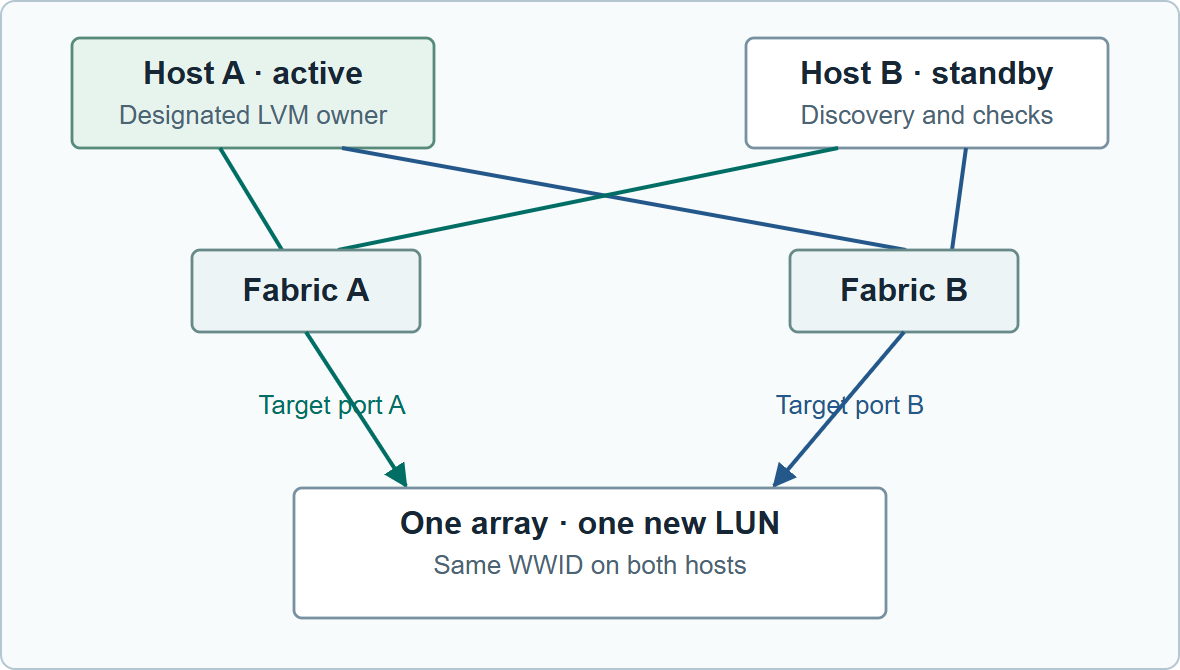
Match the disk across both hosts
Get the full WWID and the expected path count from the storage change record. Save a before-and-after inventory around the approved HBA rescan. In this example each host has one path through Fabric A and one through Fabric B. For a site with more target ports, use the path count in its own design.
sudo multipath -ll
sudo lsblk -o NAME,TYPE,SIZE,WWN,FSTYPE,MOUNTPOINTS
In this illustrative inventory, Host B uses a different local alias. The abbreviated WWIDs below are for reading only. Compare the complete values in the actual output.
Host A   app_expand   WWID ending 00a7   800G   2 paths
Host B   mpathq       WWID ending 00a7   800G   2 paths
Host B   app_expand   WWID ending 006d   800G   existing disk
Host B’s app_expand is the wrong disk even though its name and size look right. The correct device is mpathq. A missing path on either host is also a reason to pause. Confirm fabric zoning, array host mapping, and path health before adding the PV.
Make the LVM change from Host A
Confirm Host A owns the storage resource, fencing is healthy, and the maintenance procedure keeps ownership stable while you work. On RHEL systems using the LVM devices file, confirm that the new multipath map is allowed on both failover candidates. The raw paths should never be selected as independent PVs.
On Host A, substitute the verified local multipath path. Inspect signatures and existing PVs, then capture the current VG state. A failed command, an unreadable map, or an unexpected partition, filesystem, or PV signature is a stop condition.
map=/dev/mapper/app_expand
sudo pcs status --full
sudo multipath -ll
sudo wipefs --no-act "$map"
sudo pvs -o pv_name,pv_uuid,vg_name
sudo vgs -o vg_name,vg_uuid,vg_free,vg_seqno appvg
sudo vgcfgbackup appvg
Once the change is authorized and the checks agree, run the two writes on Host A. If pvcreate succeeds and vgextend fails, stop and inspect the new PV and the VG. Do not force a reinitialization.
sudo pvcreate "$map"
sudo vgextend appvg "$map"
sudo pvs -o pv_name,pv_uuid,vg_name "$map"
sudo vgs -o vg_name,vg_uuid,vg_free,vg_seqno appvg
This adds free extents to appvg. Extending a logical volume or growing its filesystem is a separate change with separate verification.
Prove that Host B can take over
On Host B, confirm the WWID and both paths again. For a setup using LVM system IDs, inspect the foreign VG without activating it. Compare the PV UUID, VG UUID, and VG sequence number with Host A. If the new PV or VG is absent, check the standby’s multipath and LVM device discovery before changing cluster ownership.
sudo multipath -ll
sudo pvs --foreign -o pv_name,pv_uuid,vg_name
sudo vgs --foreign -o vg_name,vg_uuid,vg_free,vg_seqno appvg
Then follow the cluster runbook for a controlled failover. Verify that A has released the storage, B activates it and mounts the filesystem, and the application reads a known-good file. Two hosts can see the LUN throughout the exercise. With an ordinary XFS or ext4 filesystem, the application’s logical volume must have only one active owner.